kratonbolaAndroid & iOS App
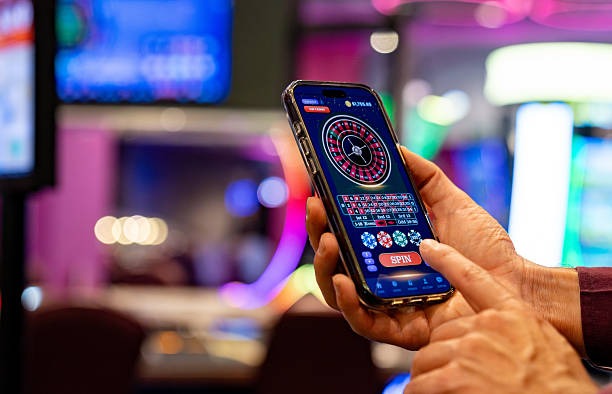
We at kratonbola offer mobile access to our platform through Android APK installation, iOS browser access, and a responsive web app. Mobile-first design means you can deposit via DANA, e-wallet, mobile banking, local payment, or your bank's virtual account, then move directly into football markets, live-dealer tables, slots, or esports without desktop setup delays.

- DownloadAPK
- Installin
- Update
Our mobile experience prioritizes speed and reliability. Whether you use an Android device running version 7 or later, an iPhone or iPad with iOS 12 or later, or simply access kratonbola through your mobile web browser, the interface adapts to your screen size and touch input. Installation takes minutes, and account setup—including Know Your Customer verification—completes on the same device.
This page walks you through download and installation options, explains the trade-offs between app and browser access, and covers common setup questions. Our kratonbola mobile platform is available only where local law permits, and users are responsible for verifying that access complies with their own jurisdiction's regulations.
Access kratonbola on mobile: Android, iOS, and web
We provide three pathways to kratonbola on your mobile device. The first is Android APK installation: you download our app file directly, enable installation from unknown sources in your device settings, then tap the APK to install. The second is iOS browser access: iPhone and iPad users open Safari or any mobile browser, navigate to our site, and use the full platform through the web interface—no App Store submission needed. The third is our responsive web app: any mobile device with a modern browser can access kratonbola, and the interface scales and optimizes for touch. Each path has trade-offs: Android APK offers offline caching and push notifications for match alerts during Liga 1 or Champions League fixtures, but requires the unknown-sources setting. iOS browser access skips app-store restrictions but may refresh the page if memory runs low on older devices. Web app works on any device but requires an internet connection for every interaction.
Installing kratonbola on your mobile device
Setup varies by device type. For Android, start by opening your device settings and navigating to Security or Apps. Look for the option to allow installation from unknown sources (or install unknown apps), and enable it. This permission is required because you are installing an APK file directly rather than through the Google Play Store. Download the kratonbola APK file from our site or from the link provided in your email. Once downloaded, tap the file in your downloads folder, and the installation wizard appears. Follow the on-screen prompts to complete installation. Once installed, open kratonbola from your app drawer or home screen.
For iOS, simply open Safari or any mobile browser on your iPhone or iPad, navigate to kratonbola, and use the platform directly. No download or installation is required. You can add a shortcut to your home screen if you prefer: tap the share icon, select Add to Home Screen, and kratonbola becomes accessible like an app icon.
-
Enable unknown sources (Android only)
Go to Settings > Security, toggle on Install from unknown sources.
-
Download the kratonbola APK or open in browser
Android: download the APK file. iOS: open Safari or your browser and navigate to kratonbola.
-
Register or log in to your account
Open kratonbola and sign in with your username and password, or create a new account if you are a first-time user.
-
Verify your identity and deposit
Complete KYC with your government ID and address proof, then deposit via DANA, e-wallet, mobile banking, local payment, or your bank virtual account.
App versus browser: speed, notifications, and offline support
The Android APK app includes offline caching, which means the game lobby and some content load even if your connection drops temporarily. Push notifications alert you to upcoming Liga 1 matches, Piala Indonesia fixtures, or live-dealer promotions—useful if you want reminders about popular events during Idul Fitri or Idul Adha. The app also typically launches faster on repeat visits because it stores assets locally. The trade-off is that you must update the app manually when we release a new version; the browser automatically runs our latest code. iOS browser access skips app-store review delays and works on any iOS device with a modern browser, but lacks offline caching and push notifications. The web app (accessible on any mobile device) balances these: no app installation needed, but every page refresh requires internet connectivity. For frequent players following Liga 1 or Champions League markets, the Android app's push notifications and offline support are valuable. Casual users may prefer the simplicity of browser access.
Android and iOS compatibility on kratonbola
We support Android 7.0 and later, and iOS 12 and later. Check your device's operating system version before downloading. Older devices may not be compatible with our latest app version.
Device compatibility and system requirements
Our kratonbola app requires Android 7.0 (API level 24) or later on Android devices, and iOS 12 or later on Apple devices. Most smartphones and tablets released in the past five years meet these requirements. If you are unsure of your device's operating system version, go to Settings (or equivalent) and check the System or About section. Android users can also use the web app without downloading the APK if their device does not meet the minimum requirements. iOS users can always access kratonbola through Safari or any mobile browser, regardless of iOS version, though we recommend iOS 12 or later for the best experience.
Common installation issues on kratonbola mobile
If you encounter issues during installation, the most common cause is the unknown-sources setting on Android. If installation fails, return to Settings > Security and confirm that Install from unknown sources is toggled on. Some devices label this option differently, such as Allow installation of apps from unknown sources or Install unknown apps. Another issue occurs if your device's storage is nearly full—kratonbola requires a few hundred megabytes of free space. Clear your device's cache or move photos and videos to cloud storage to free up space, then try installation again. If the APK file appears corrupted or fails to install after download, delete the downloaded file and download again. On iOS, if the web app is sluggish or freezes, try clearing your Safari cache: go to Settings > Safari > Clear History and Website Data, then reload kratonbola. If you continue to experience problems, our support team can assist via live chat or email.

Data, permissions, and account security on kratonbola mobile
Our kratonbola app requests only the permissions necessary to operate: internet access (to connect to our servers), storage access (to cache game assets and offline content), and notification permissions (to send match alerts and promotions). We do not request access to your contacts, camera, microphone, or location without explicit consent on a per-feature basis. All data transmitted between your device and our kratonbola servers is encrypted using HTTPS. Your account credentials are never stored in plain text on your device; we use secure token-based authentication instead. When you log out, your session ends immediately, and any cached data is cleared. If you lose your device, contact our support team to lock your account and prevent unauthorized access. We also recommend setting a strong, unique password and enabling any available device-level security (such as biometric authentication) to protect your account.
Getting started on kratonbola: detailed guide
From registration to first session
From registration to first session
Your journey on kratonbola begins at our registration page. You provide an email address, create a password, enter your full name, date of birth, and mobile phone number. We send a verification code to your email; you confirm it, and your account is created. Next comes Know Your Customer (KYC) verification, which is mandatory before you can deposit. We request a clear, legible photograph of your government-issued ID—KTP, passport, driving license, or other ID recognized in your region. You also provide a live selfie so our system can match your face to your ID document. Finally, we ask for proof of address, typically a utility bill (water, electricity, internet) or a bank statement dated within the past three months, showing your name and current address. This entire process takes between subject to verification, depending on document clarity and our verification queue. Once approved, you receive an email confirmation and can access the payment gateway. You choose your preferred deposit method: e-wallet (local payment, online payment, e-wallet, mobile banking, local payment) or bank virtual account (online payment, e-wallet, mobile banking, local payment). E-wallet deposits settle within seconds; bank transfers typically settle within one to four business hours. After your deposit clears, your account balance is ready for play. You navigate to the game lobby and select your first category: football markets (Liga 1, Piala Indonesia, Champions League), live-dealer tables (blackjack, roulette, baccarat, Dragon Tiger), slot games (Aviator, Sweet Bonanza, Gates of Olympus, Fortune Tiger, Mahjong Ways), or esports markets (Mobile Legends, Free Fire, PUBG Mobile). Your first session can be as online paymentef as a single selection or as extended as you prefer. All transactions are logged in your account history.
Payment options and processing windows
Payment options and processing windows
We at kratonbola support a range of payment methods tailored to Indonesian users. E-wallet options—e-wallet, mobile banking, local payment, online payment, and e-wallet—offer the fastest deposit experience. Once you link your e-wallet to your kratonbola account via secure OAuth, you can deposit with a single tap; the funds appear in your account balance within seconds. E-wallet deposits carry no additional fees from our side, though your e-wallet provider may charge a small fee (typically our welcome offer–our welcome offer) for linking or transferring. The trade-off is that e-wallet providers impose daily and monthly limits based on your account age and verification status. A new mobile banking user, for instance, might have a daily limit; this increases as your account matures. local payment (a unified QR payment standard adopted across Indonesia) offers another route: we generate a online payment code specific to your kratonbola account. You scan this code with any banking app or e-wallet and complete the payment. e-wallet deposits typically settle within one to four hours, as they route through Indonesia's national clearing system. For users who prefer traditional bank transfers, we issue virtual-account numbers under your name for mobile banking, local payment, online payment, and e-wallet. You initiate a transfer from your personal bank account to the virtual-account number we provide; the funds appear in your kratonbola balance after your bank and our acquiring bank confirm the transaction, usually within one to four business hours. Virtual-account transfers carry no hidden fees and provide the highest transparency—you see the exact account number on your bank statement, matching our records. During high-traffic periods (such as around Liga 1 match days, Piala Indonesia fixtures, or national holidays like Idul Fitri and Idul Adha), settlement times may extend slightly as banks process increased transaction volumes. We recommend depositing well before you plan to play, to allow sufficient clearing time.
Choosing a game category
Choosing a game category
Our kratonbola platform offers multiple game categories, each suited to different play styles. Football markets (Liga 1, Piala Indonesia, Piala AFF, Champions League, Premier League, Piala Asia) appeal to users who enjoy live events and prediction-based wagering. When you select a Liga 1 match, you see the live score, team stats, and available wager types. You place a wager in real time, and if your prediction matches the final result, your stake is multiplied by the odds. Football wagering rewards research—studying team form, injury reports, and head-to-head history can inform your decision. Live-dealer tables (blackjack, roulette, baccarat, Dragon Tiger, Sic Bo) offer a different experience: you see a real dealer or game host via high-definition live stream. You interact with the table in real time, placing chips and making decisions during active play. Each round lasts seconds to minutes, so the pace is faster than a football match. Live-dealer games suit users who prefer immediate results and social interaction. Slot games (Aviator, Sweet Bonanza, Gates of Olympus, Fortune Tiger, Mahjong Ways) present another style: you spin reels and aim to match symbols for payouts. Slots are the fastest category—each round takes seconds. Esports markets (Mobile Legends, Free Fire, PUBG Mobile) appeal to users who follow competitive gaming and want to wager on tournament outcomes. New users to kratonbola often start with football because the mechanics are familiar, but all categories are equally valid first choices. Our account balance applies to all game types, so you can experiment across multiple categories without losing eligibility.
Service availability and jurisdiction
Service availability and jurisdiction
Our services on kratonbola are available only where local law permits. Users should verify that online wagering is legally permitted in their jurisdiction before opening an account. Different regions have different rules: some jurisdictions allow licensed operators like us to serve residents, while others restrict or prohibit wagering altogether. We do not offer our services in jurisdictions where online gambling is prohibited by law. If you are unsure about your local regulations, we recommend contacting your local regulatory authority, checking government guidelines, or seeking legal counsel specific to your jurisdiction. Once you have confirmed that you are in a permitted jurisdiction, you can proceed with registration. Our account-opening process includes a terms-of-service agreement; by accepting, you confirm that you are over the age of majority in your jurisdiction (typically 18 or 21, depending on local law) and that your access to kratonbola complies with local law. We reserve the right to restrict or suspend accounts that appear to originate from prohibited jurisdictions, based on IP geolocation, payment-method location, or other fraud-detection signals. If your account is suspended due to jurisdictional concerns, we will attempt to contact you via email with an explanation. Users in prohibited jurisdictions who have deposited funds may request a withdrawal back to their original payment method; we process such requests within standard timelines. We also encourage users to review our full Terms & Conditionswhich outline our jurisdictional restrictions, user obligations, and dispute resolution procedures. Our support team is available to answer questions about availability in your specific region.